
Travel · UK Guide 2026
Plan a Short Working Trip With Equipment Setup Time
JASOTO · Updated 5 November 2026 · 1,653 words
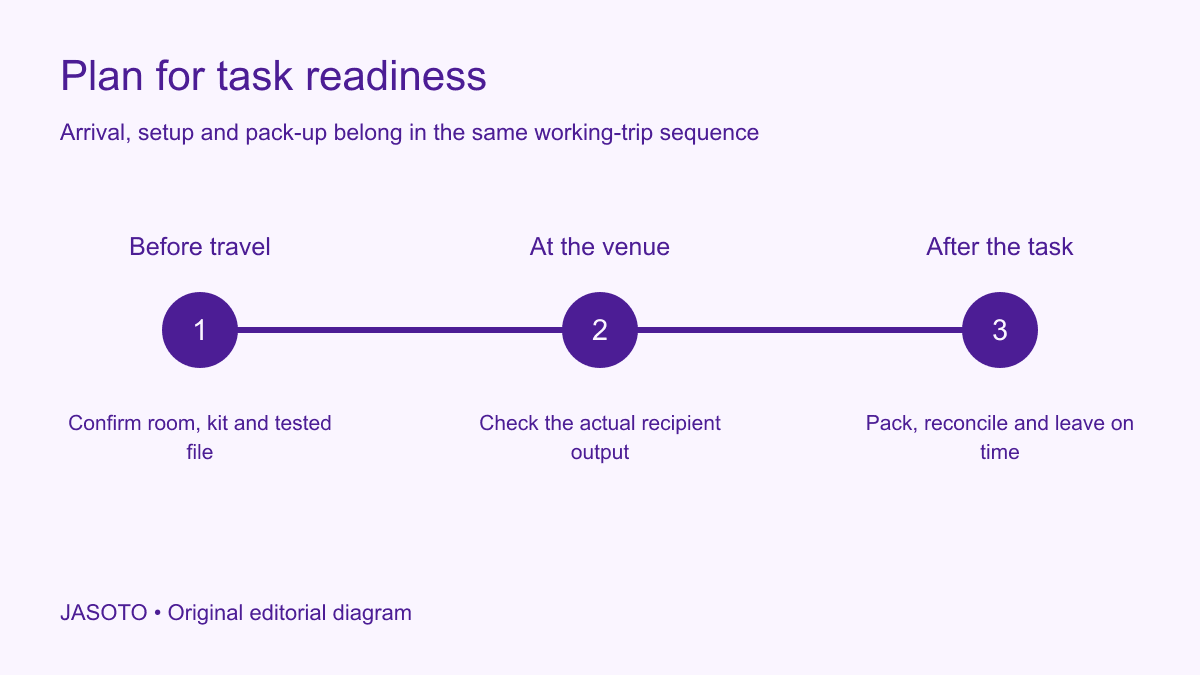
Original JASOTO editorial diagram. Its complete workflow is explained in the article; no actual customer outcome is depicted.
Plan a short working trip around the time you need to be ready to perform the task, including venue entry, equipment setup, a representative test and pack-up afterwards. Confirm what the host supplies and what you must carry. A same-day visit can look simple in a calendar while depending on an untested display connection or a room you cannot access until the meeting begins.
This original guide supports UK visits involving a presentation, demonstration or other equipment-dependent task. Microsoft's PowerPoint guidance explains Presenter view and its display arrangements, illustrating why the intended output should be tested. The planning method below applies more broadly: use the actual tool's current instructions and the venue's approved arrangements, with specialist equipment handled by the responsible competent people.
The practical answer
- Define the task that must work.
- Confirm the room access and equipment boundary.
- Test the complete intended output.
- Include pack-up in the return plan.
Define what ready means for the task
Write the action that must work when the appointment starts. A presenter may need slides visible to the audience while notes remain on the personal screen. A product demonstrator may need an approved sample operating in the intended way. A consultant may need to open a permitted file and join remote colleagues. These are different readiness tests, and “laptop arrived” does not describe any of them fully.
Identify the minimum acceptable version of the task. If a live demonstration is essential, a static image may not be an adequate replacement. If the purpose is discussing a draft, a simple local file may be sufficient. Agree the boundary with the business owner or host before planning an elaborate setup. This makes the fallback reviewable and prevents a traveler from discovering during the meeting that the prepared alternative does not serve the actual business purpose.
Confirm the room and access window
Ask when the relevant room becomes available for setup and who can let you in. A building opening earlier than the meeting does not establish that the booked room is free. Confirm the host, reception route and any site-specific instruction that affects bringing equipment inside. Keep the approved arrival point separate from a delivery entrance unless the venue specifically directs you there.
Record whether another activity occupies the room beforehand. If setup must happen during a short changeover, discuss what can be prepared elsewhere and which tests need the actual room. Avoid treating a tight access window as permission to skip essential checks. The host may need to adjust the schedule or provide a different arrangement. That decision is easier before travel than when the audience is already waiting outside a room that has just become available.
Make a supplied-and-carried equipment list
List what the venue confirms it will supply and what you will bring. Identify exact connections, relevant software or other compatibility facts where needed. A general statement that a room has a screen is insufficient to establish that your device can use it. Ask the host or technical contact for the actual information and follow current product guidance rather than buying adapters based only on a photograph.
Keep accessories visible in the list. The charger, correct cable, presentation control or approved sample material can matter as much as the main device. Distinguish confirmed items from requests awaiting a response. An accessory promised informally by a colleague should not become a checked venue supply without confirmation. The list should support a practical handover between traveler and host, making it clear which missing item each person is responsible for resolving before the visit.
Test the complete output before travel
Use the intended files and equipment together where practical. Open the presentation, sample or approved application and run the representative task. For PowerPoint, inspect which content appears to the audience and which appears to the presenter using the appropriate current instructions. The objective is a usable output, not merely proof that the file can be opened on the laptop at home.
Record known dependencies that the home test cannot establish, such as the venue display or an approved network connection. Ask the host how those will be checked. Do not claim the whole setup is verified when only one component has been tested. Keep sensitive material out of the rehearsal where appropriate and use permitted sample content. A practical test should reveal a compatibility problem without exposing customer data or requiring unsafe operation of unfamiliar equipment.
Build setup into the journey backwards
Start with the time the task must be ready and add the actual setup, entry and local travel requirements before selecting the main service. Use an allowance based on the equipment and venue, rather than an arbitrary universal period. A simple document discussion may need a different plan from a demonstration involving several components. Check the final route to the correct entrance and the host's actual receiving arrangement.
Keep the timetable honest about what is known. If the technical contact cannot confirm the room connection until a later date, record that dependency. Avoid choosing an arrival that leaves no room for the unresolved step and hoping familiarity with the equipment will compensate. The trip's feasibility depends on both transport and readiness. A train reaching the town on time does not establish that the audience will see the intended output at the start of the appointment.
Separate preparation from onsite testing
Complete the work that does not require the venue before departure: choose the current file, organize permitted backup material and check the equipment inventory. Reserve onsite time for the actual room connection, sound or other task-specific dependency. This keeps the limited venue window focused on what cannot be established elsewhere. Avoid using setup time to finish substantial content editing that should have been completed through the business review process.
Choose a clean current version and label it clearly. Several similarly named files can waste the first minutes while the traveler decides which was approved. Keep the supporting business record separate from the public display route. Close unrelated applications and check what could appear on screen during navigation. The host needs a presentation or task ready to use, without an accidental view of private notes, unrelated messages or material that was never intended for the audience.
Agree a fallback with the host
Ask what will happen if the intended connection or equipment fails. A fallback could be an approved simpler display route, a different room or a changed task format, depending on the actual purpose. Confirm who can authorize the change and who can provide technical help. An unsupported plan to download software or alter venue settings on arrival can create more uncertainty than it solves.
Keep the alternative realistic. A local copy can help with some connection problems, but it does not replace an application that needs a permitted live service to perform the essential task. A printout may support discussion while failing to demonstrate interaction. Explain that limit in advance. The business owner can then decide whether the fallback is acceptable or whether another setup or appointment arrangement is needed. The traveler should not have to make that substantive decision alone while the meeting is underway.
Plan the final check in the actual room
Use a short sequence that tests the task from the audience or recipient's perspective. Can the relevant content be seen, heard or used appropriately? Is the intended sample available? Are private notes kept private? Ask the host or technical contact to confirm a problem through the approved route. Record a failure precisely rather than repeatedly reconnecting components without understanding which step is not working.
Change one relevant element at a time where suitable and within your authority. Follow the equipment and venue instructions, and obtain competent support for specialist issues. Do not bypass a protective control or improvise an electrical repair to preserve the schedule. If the essential task cannot be performed, use the agreed decision route. A clear status allows the host to choose the next action instead of learning only at the scheduled start that the demonstration is not ready.
Include pack-up in the return journey
After the business activity, allow for closing files, disconnecting equipment appropriately, checking the inventory and leaving the venue. Confirm where the traveler collects any stored bags or borrowed item. A return service booked immediately after the meeting's nominal finish can become unworkable when the equipment needs careful packing or the host requires a final handover.
Use travel research to explore journeys once the actual readiness and departure requirements are clear. For equipment or technical assistance found through business listings, confirm the scope, compatibility and visit timing directly. When travel and setup coordination are recurring responsibilities, describe them accurately in relevant jobs. Keeping setup, business delivery and pack-up visible helps the responsible people approve a realistic visit rather than a calendar entry that omits half the required work.
Close with an equipment and task record
Before leaving, check what was brought, what was borrowed and what must remain with the host. Follow the organization's arrangements for files, access and equipment, including any temporary setup. Record the useful outcome accurately: the task ran through a particular configuration, or a limitation remained and a follow-up was agreed. Do not infer a measured business result simply because the presentation displayed correctly.
If the plan proves too tight, restore a simpler approved task route or move a nonessential activity through the responsible owner. Preserve the verified equipment facts for next time and correct the missing dependency. The practical result is a short trip planned around being ready to work, with a clear host, a representative test and enough understanding of pack-up to complete the journey. Transport remains part of that plan, connected to the task rather than treated as the only milestone.
Put the guide into practice
- List supplied and carried items.
- Check actual connections and current files.
- Agree the host and fallback decision.
- Reconcile equipment before leaving.
Frequently asked questions
How early should I arrive for equipment setup?
Work backwards from the task-ready time using the actual room access, equipment and testing requirements. Confirm the window with the host. There is no universal allowance suitable for every presentation or demonstration, especially when the venue connection has not yet been checked.
Does a successful home test prove the venue setup will work?
It establishes only what you actually tested. Keep venue-specific display, network or other dependencies visible and arrange an onsite check. Use current product instructions and appropriate support for the actual equipment rather than assuming every room matches your home arrangement.
What should the fallback preserve?
It should serve the agreed business purpose at an acceptable level, with its limitations understood by the responsible owner. A static file may support a discussion but not replace an essential live demonstration. Confirm the alternative before relying on it during the visit.
Explore JASOTO tools
Discover providers and check support for your specific task.
Explore roles and responsibilities →Consider the practical responsibilities involved when recruiting or joining a team.
Plan work-related travel →Research a journey when joining, training or meeting colleagues in person.
Continue with JASOTO
Compare your next step
Discover UK businesses, compare services and request written quotes before making a decision.